How to Manage Email Notifications in SpringVerify
We will always let you know about important changes but you choose what else you or your team mates want to be informed about.
1. Login to SpringVerify Account
2) Click My Team from the left menu
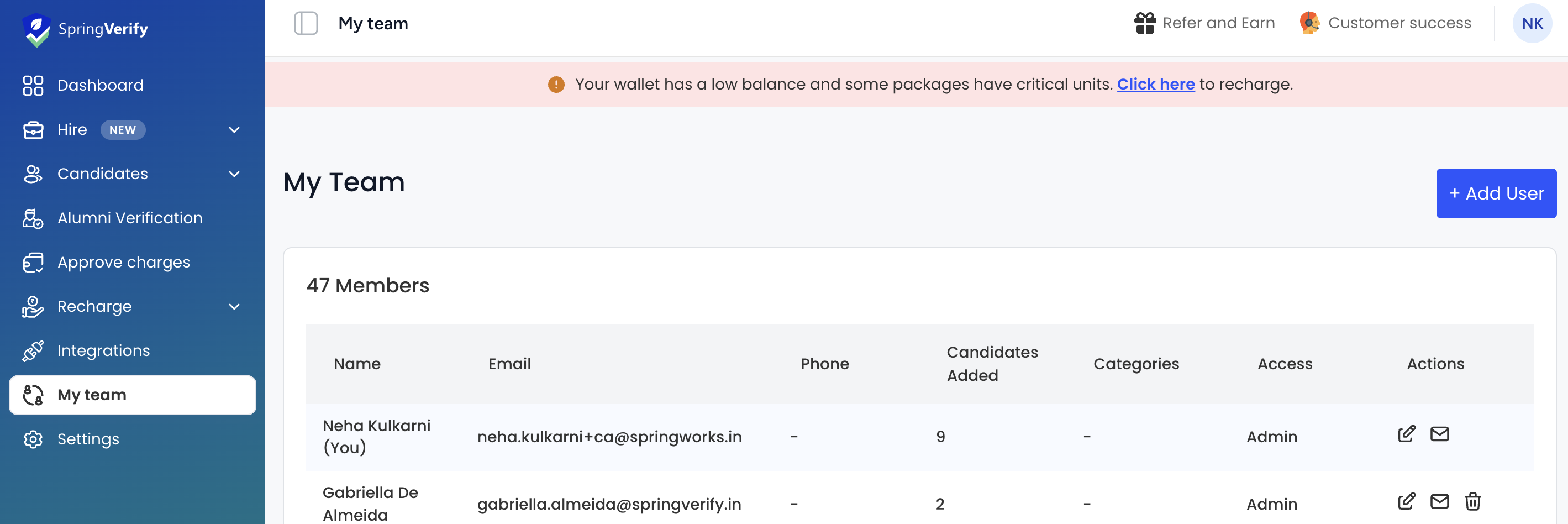
3) You will see the list of users in your account
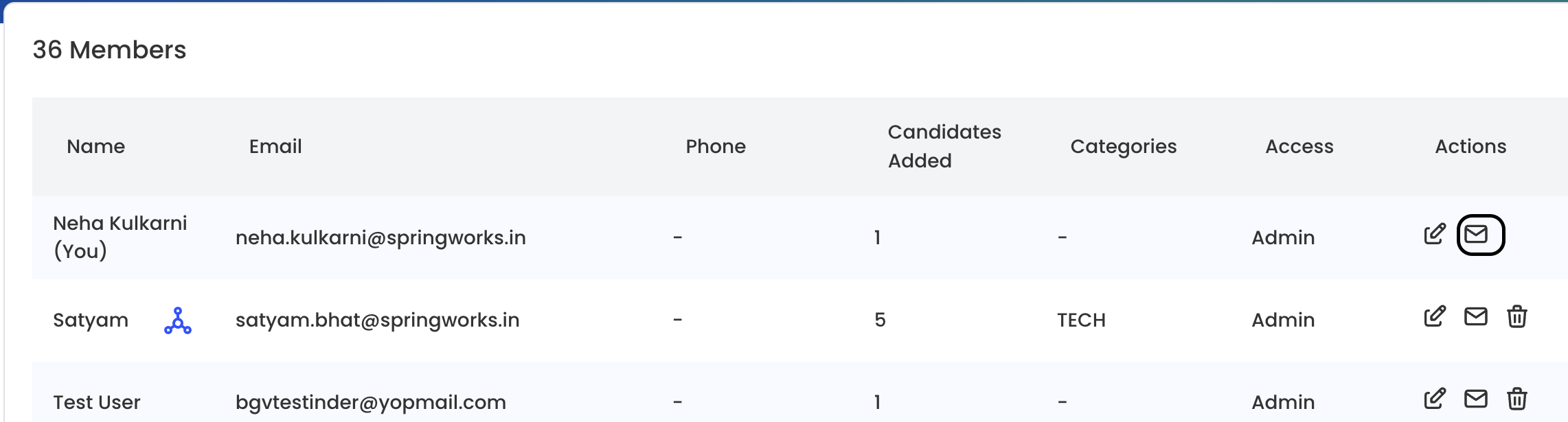
4) Click the inbox icon to view email preferences
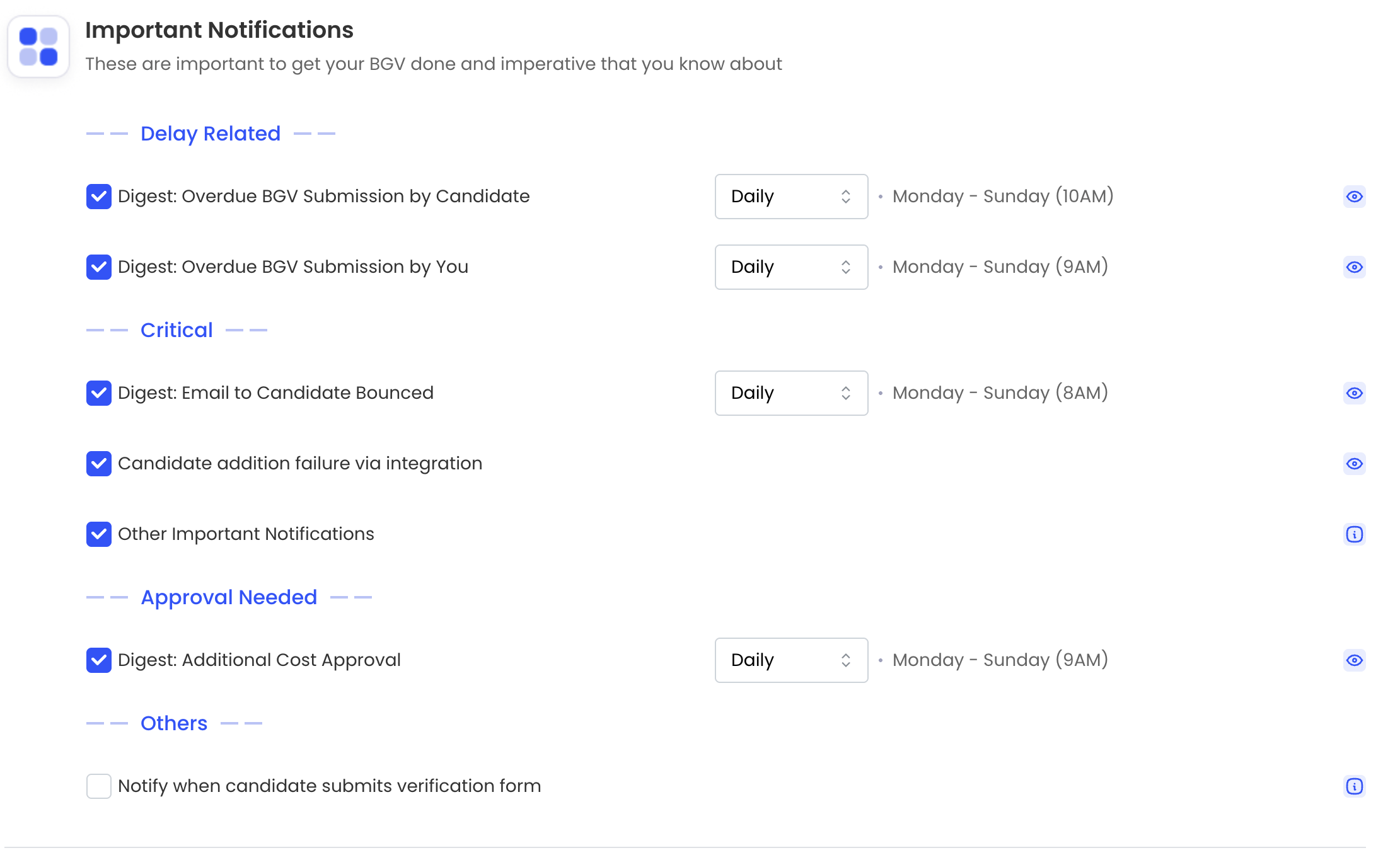
5) Important Notifications - These are all notifications related to various stages of candidate's BGV
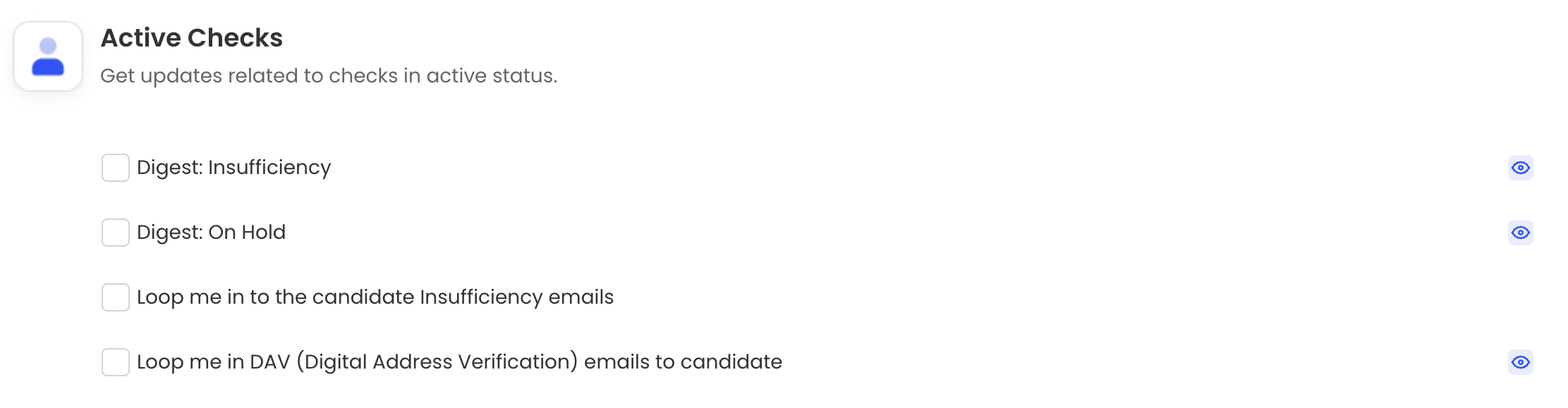
6) Active Cases - Get updates related to checks in active status.
7) Case Status - Get candidate’s overall status updates.

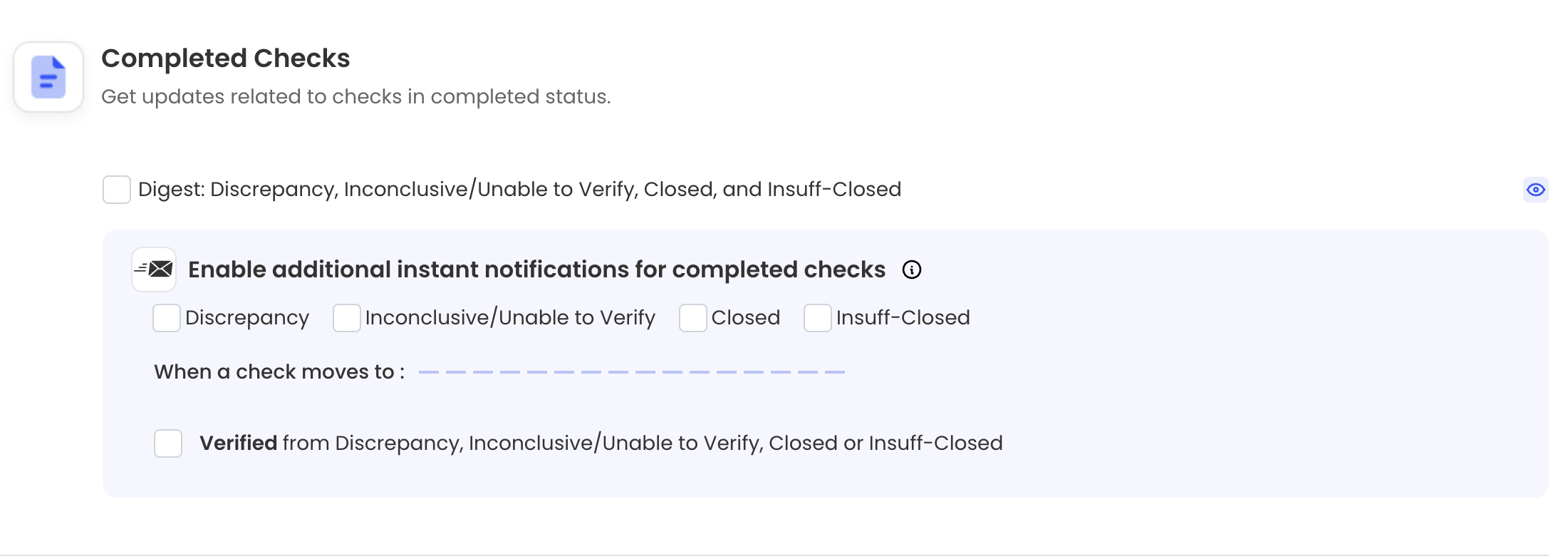
8) Completed Checks - Get updates related to checks in completed status.
Click on Save Preferences once done.
Note - You can preview each email notification using the eye icon
1. Login to SpringVerify Account
2) Click My Team from the left menu
3) You will see the list of users in your account
4) Click the inbox icon to view email preferences
5) Important Notifications - These are all notifications related to various stages of candidate's BGV
6) Active Cases - Get updates related to checks in active status.
7) Case Status - Get candidate’s overall status updates.
8) Completed Checks - Get updates related to checks in completed status.
Click on Save Preferences once done.
Note - You can preview each email notification using the eye icon