Integration of SpringVerify with GreytHR

Overview:
SpringVerify IN has developed integrations with GreytHR, allowing clients to generate GreytHR API keys from the GreytHR platform. This integration streamlines and automates background verification processes within the GreytHR environment.
Note: Data will be fetched from GreytHR every 6 hours to initiate background verification.
Instructional Video Link: https://drive.google.com/file/d/1252baeFj27XCptmDuTjWxum-08Q0GMLU/view?usp=drive_link
Steps to Enable Spring Verify in GreytHR
1. Log in to the GreytHR Portal using your credentials.
2. Navigate to Unite Marketplace.
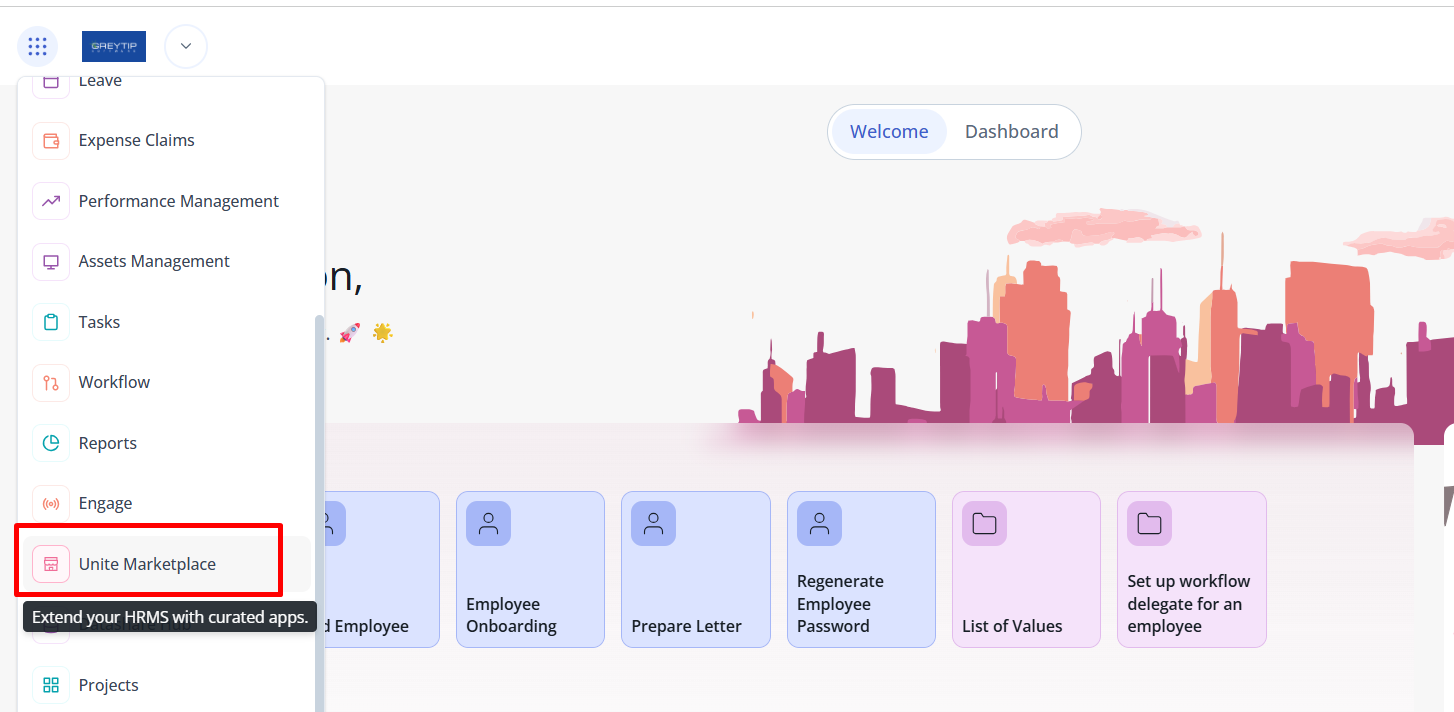
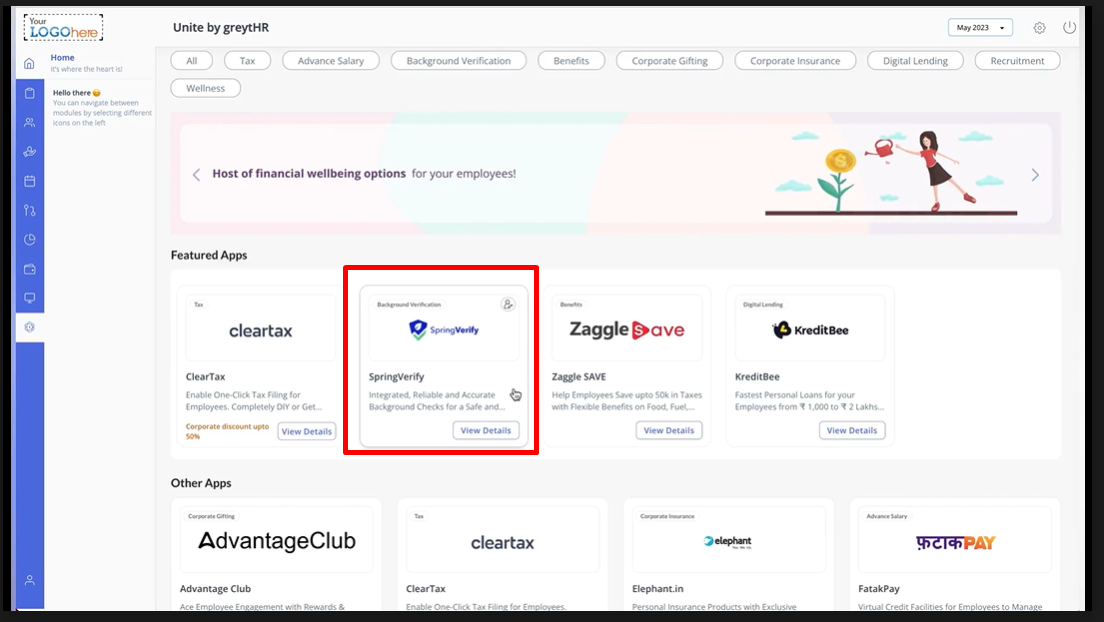
3. Locate the Spring Verify card and click on it.
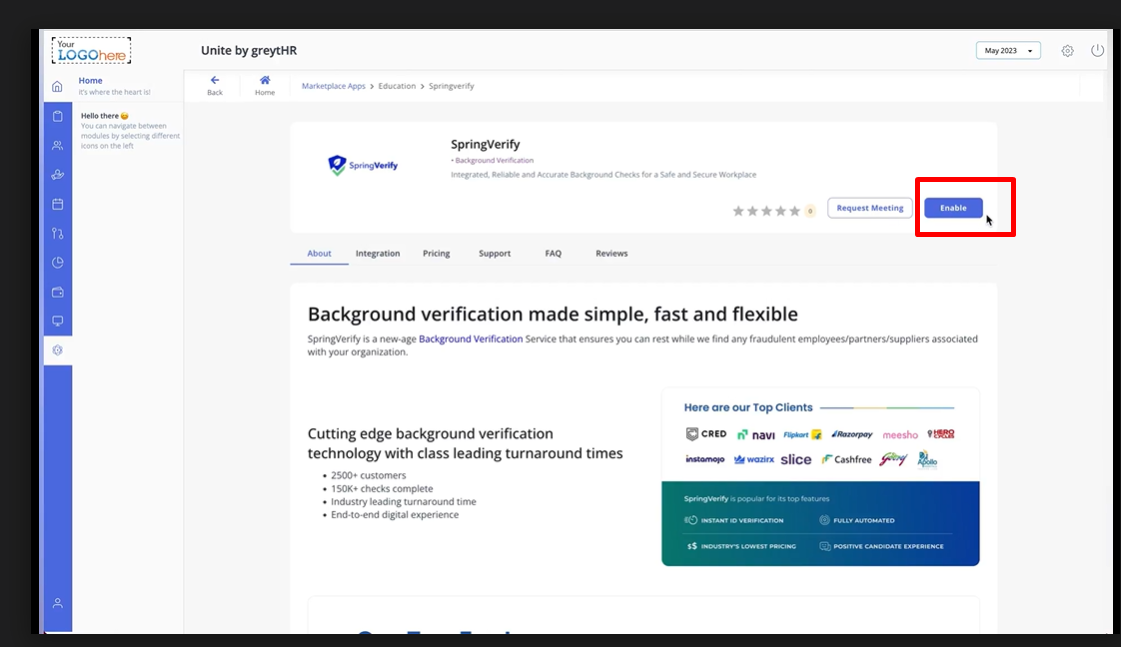
4. Click on the Enable option.
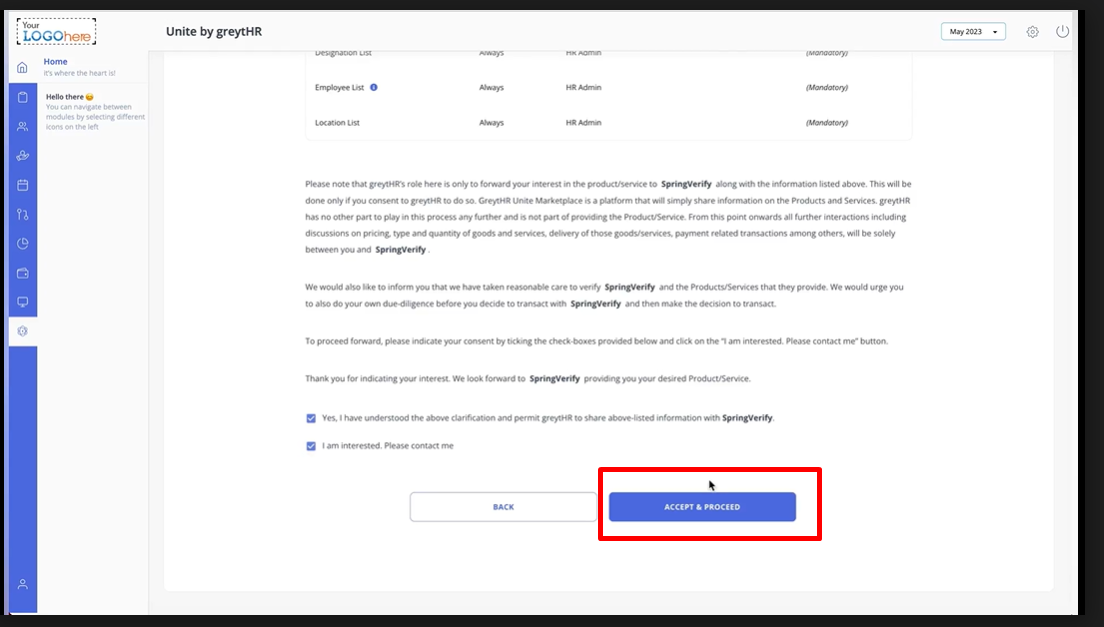
5. Accept the Terms & Conditions and click Accept & Proceed.
6. The Spring Verify Portal will open within GreytHR.
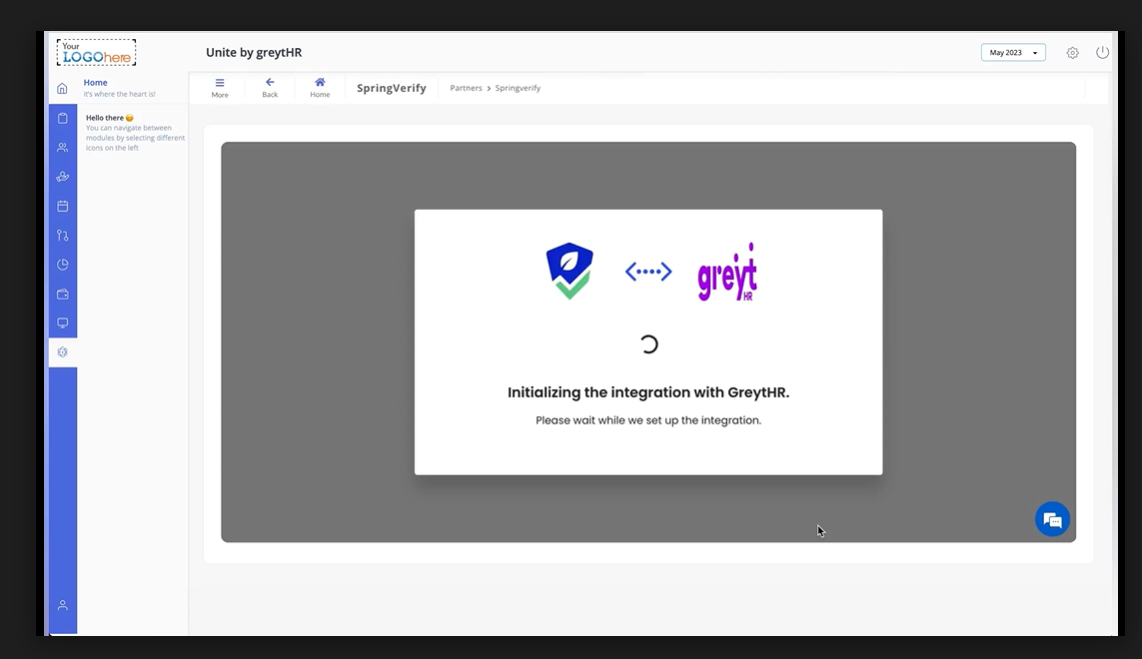
7. Select the Job Roles.
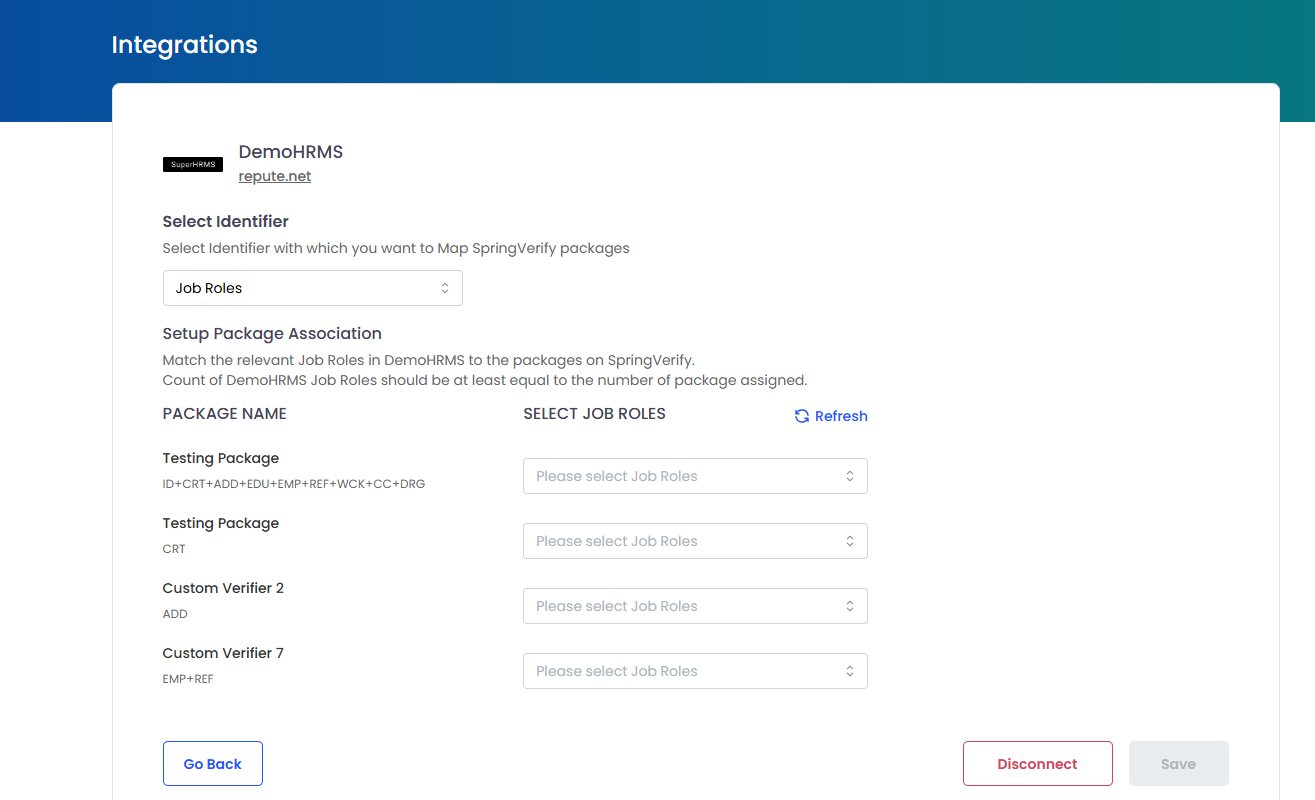
8. Job roles created in GreytHR will appear in the dropdown list
3. Locate the Spring Verify card and click on it.
4. Click on the Enable option.
5. Accept the Terms & Conditions and click Accept & Proceed.
6. The Spring Verify Portal will open within GreytHR.
7. Select the Job Roles.
8. Job roles created in GreytHR will appear in the dropdown list
.
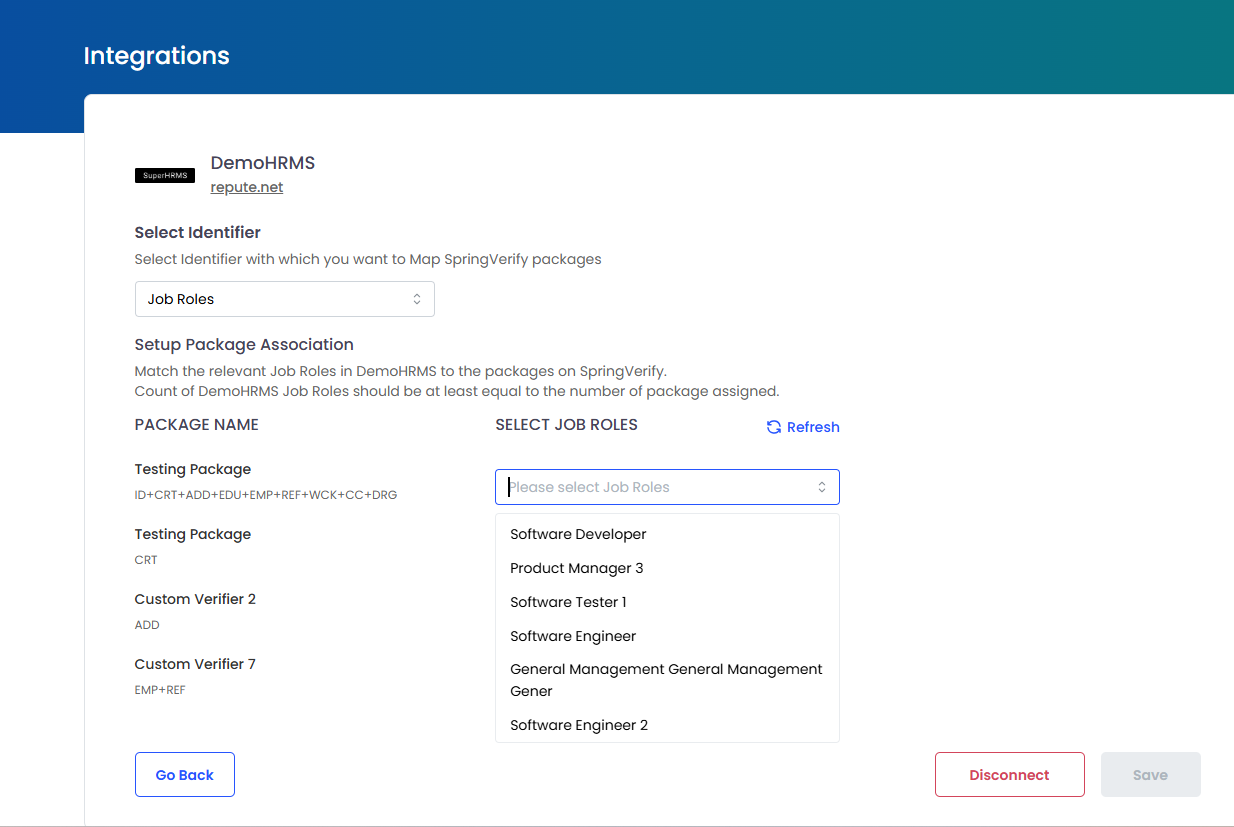
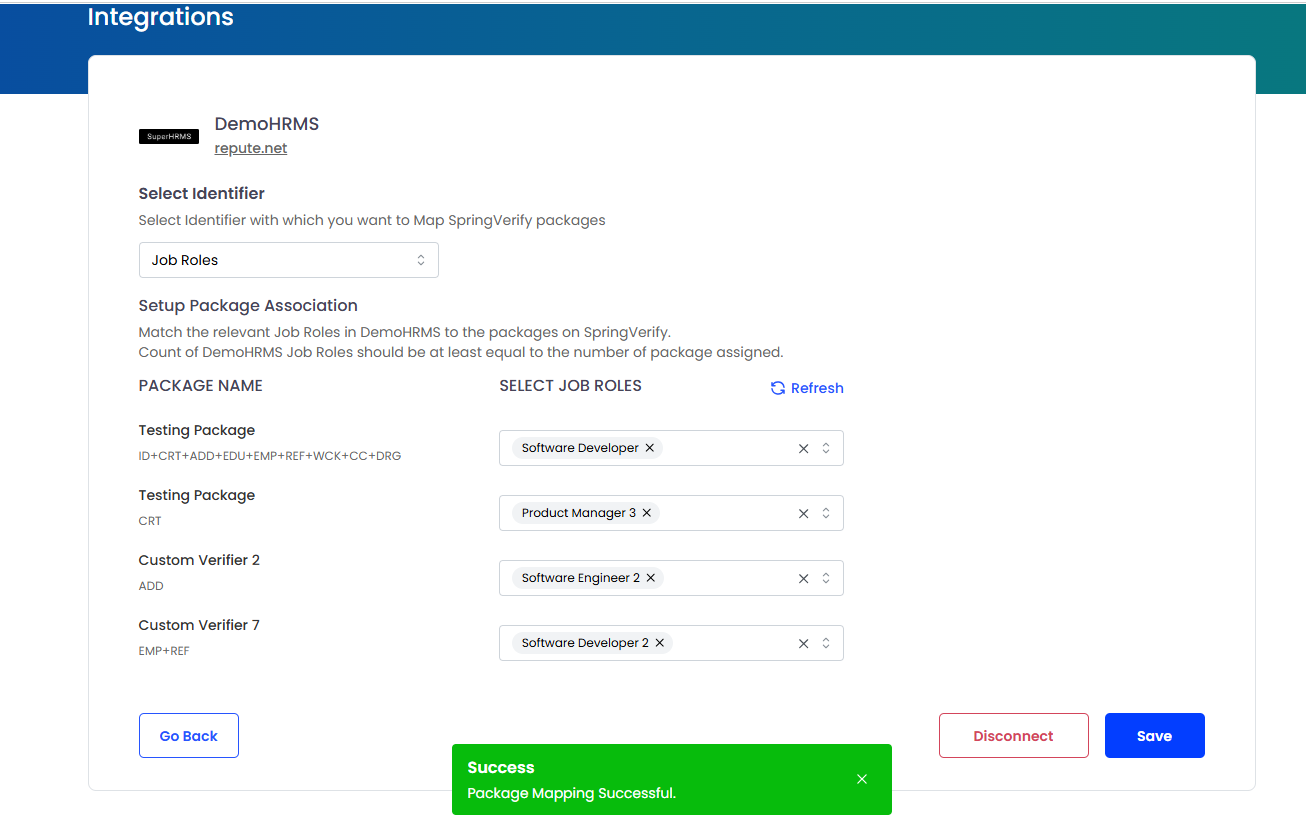
9. Save the job roles with their package mapping.
10. Setup is complete.
For any further inquiries, please don't hesitate to contact us at cs@springverify.com