What are special recognition permissions?
Know how to set up special permissions to make the most of the recognition feature.
1. Login to your EngageWith Dashboard 2. Under Recognition - Select Configuration -> Permissions
We have two types of permissions; A. Ability to send a recognition but not be recognized This setting allows specific users to send recognition without being eligible to receive it. This feature offers greater control and flexibility, ideal for leadership roles such as CXOs, Directors, and Department Heads, who are primarily focused on giving feedback. Simply, click on Add Users and select the users who can only send recognitions.
1. Login to your EngageWith Dashboard 2. Under Recognition - Select Configuration -> Permissions
We have two types of permissions; A. Ability to send a recognition but not be recognized This setting allows specific users to send recognition without being eligible to receive it. This feature offers greater control and flexibility, ideal for leadership roles such as CXOs, Directors, and Department Heads, who are primarily focused on giving feedback. Simply, click on Add Users and select the users who can only send recognitions.
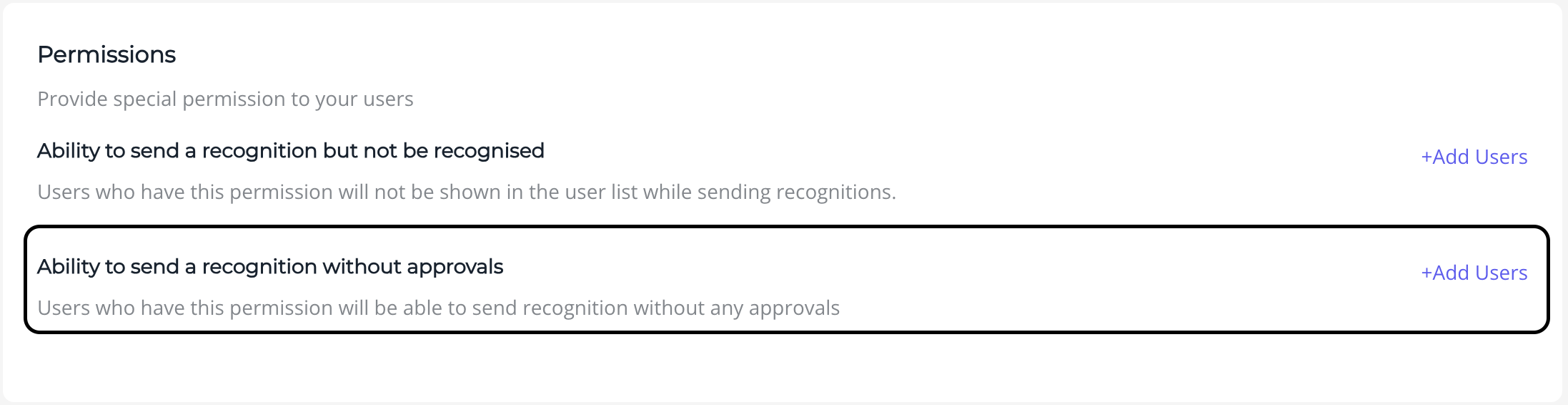
B. Ability to send recognition without approvals
Imagine your CEO sending out a recognition post but having to wait for approval—definitely not ideal, right? We think so too. That’s why we’ve added a special permissions section under recognition configuration. Now, you can select users who can send recognition without waiting for approval, ensuring timely and impactful acknowledgments.
In case you have any queries or need help setting this up you can mail at engagewith@springworks.in