How to Integrate SpringVerify with DarwinBox - Step 4 Map Fields & Verification Triggers
Map Fields & Verification Triggers
Actions (done jointly with SpringVerify):
Candidate’s Data Points needed with the Integration
Here is a sheet detailing all the mandatory and optional fields for BGV Initiation and BGV From Processing with the Integration
Master Sheet | SVIN<>Integration Checks Mapping.xlsx
Map Darwinbox fields to SpringVerify verification fieldsDefine:
Which onboarding status triggers BGV
Which checks are initiated automatically
Confirm status update flow (e.g.:
Initiated
In Progress
Completed
Configure the Verification Package Option for BGV Integration on Darwinbox
1: Login in to the Darwinbox portal with Admin access
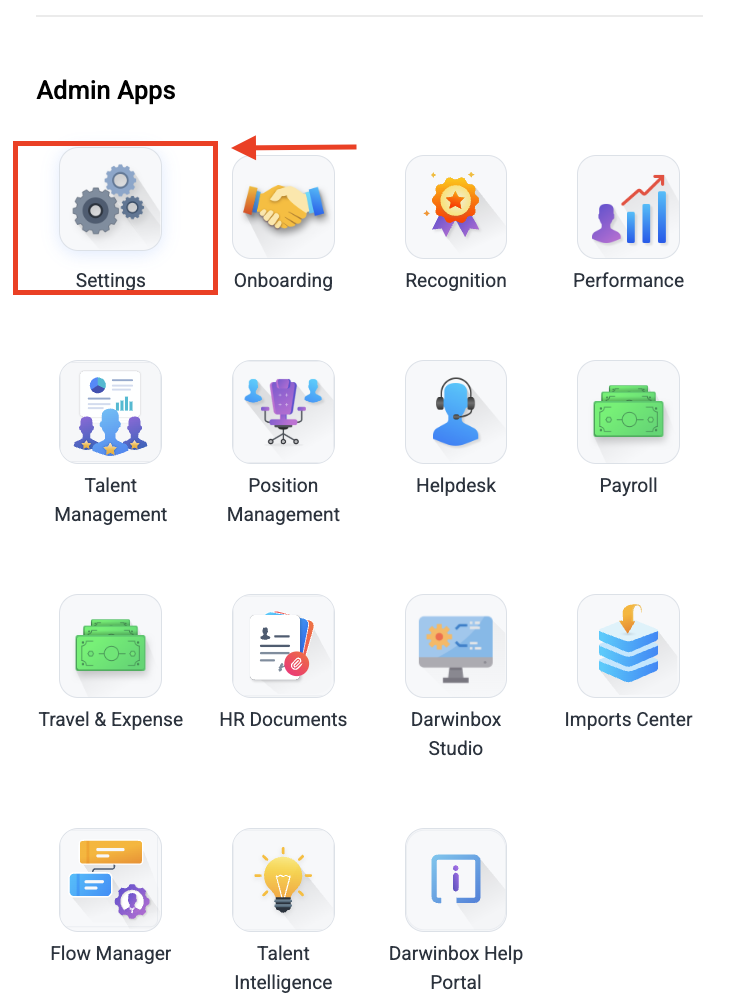
2: Navigate to the Admin Apps, Click on Settings
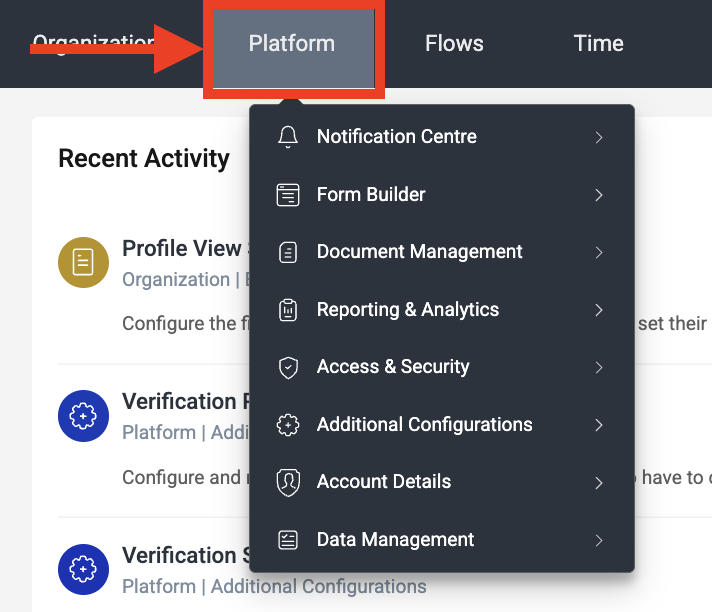
 3: Click on the Platform Option
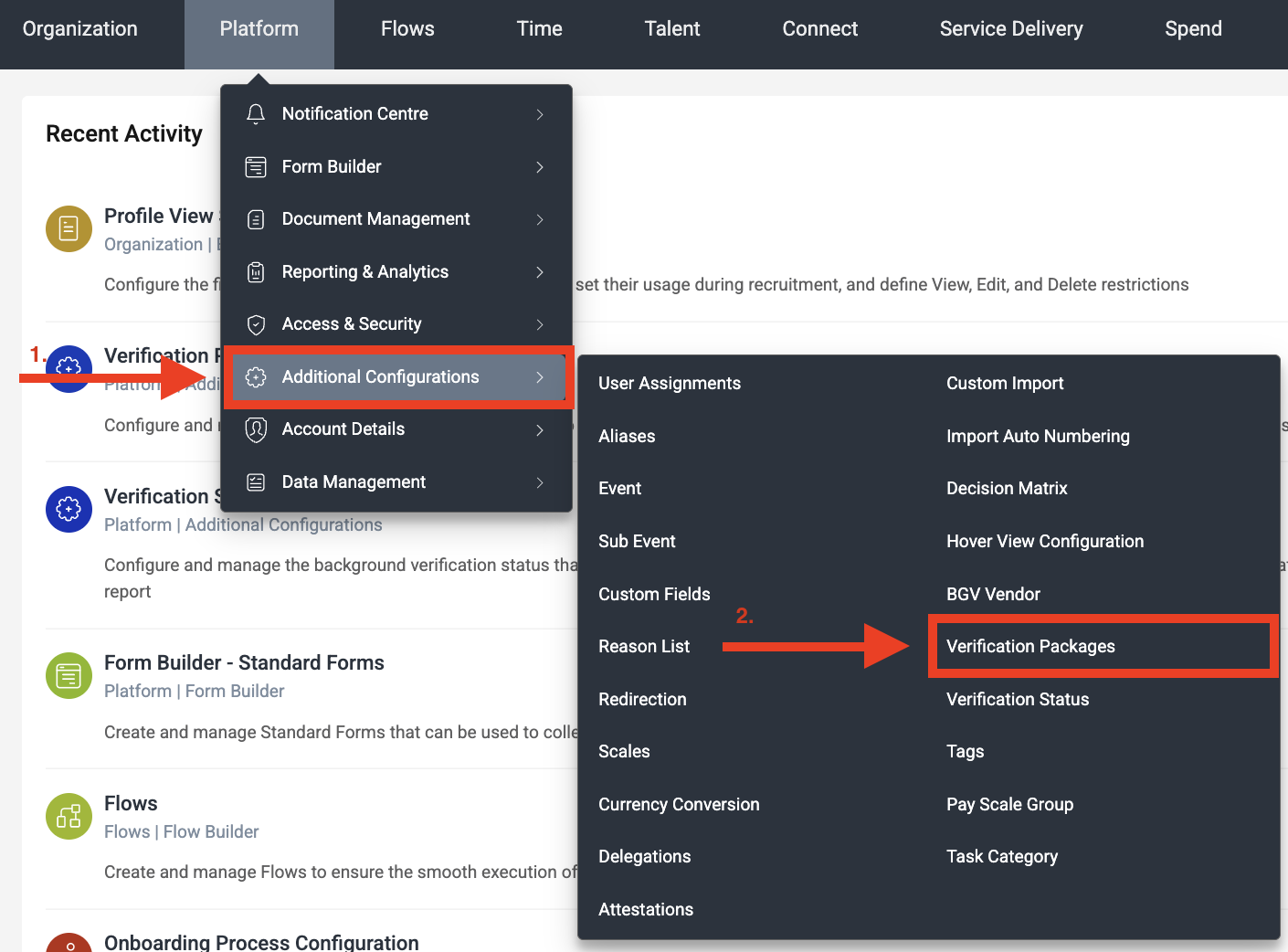
4: Click on the Additional Configurations and Verification Packages
5: Click on the Create Verification Package Option

Now we can configure the Verification Packages on DB for Pre-BGV and Onboarding Module
Pre-BGV Module
To Create the Verification Package for Pre-BGV Module, select following configuration
Applicable for: Opt for Pre-Offer
Verification Package Name: Input the Package Name
Verification Package ID: Input Package ID
Verification Type: Opt for Trigger Verification

Applicable for: Opt for Pre-Offer
Verification Package Name: Input the Package Name
Verification Package ID: Input Package ID
Verification Type: Opt for Trigger Verification
Onboarding Module
To Create the Verification Package for Pre-BGV Module, select following configuration
Applicable for: Opt for Onboarding
Verification Package Name: Input the Package Name
Verification Package ID: Input Package ID
Verification Type: Opt for Onboarding BGV
Testing
Actions:
Create a test candidate in Darwinbox
Complete onboarding form
Trigger BGV
Verify:
Case creation in SpringVerify
Data accuracy
Status updates back to Darwinbox
Fix any mapping or data gaps
Production Go-Live
Actions:
Enable production APIs
Confirm vendor status is Active
Notify HR / TA teams
Start using SpringVerify for BGV SpringVerify is fully integrated with Darwinbox for automated background verification.