Viewing Insufficiency Comments in the company admin portal
To improve visibility and reduce follow-ups, Company Admins can now view insufficiency comments directly in the portal when a check is stuck due to missing or incorrect information.
What Is an Insufficiency?
An insufficiency is raised when a candidate does not provide sufficient information or documentation for a verification check. When this happens, the Operations team raises an insufficiency requesting clarification or additional details from the candidate.
Where Can Company Admins See Insufficiency Comments?
1. Candidate Details Page
When a check is in insufficiency, Company Admins can see the insufficiency comments directly while reviewing the candidate’s details.
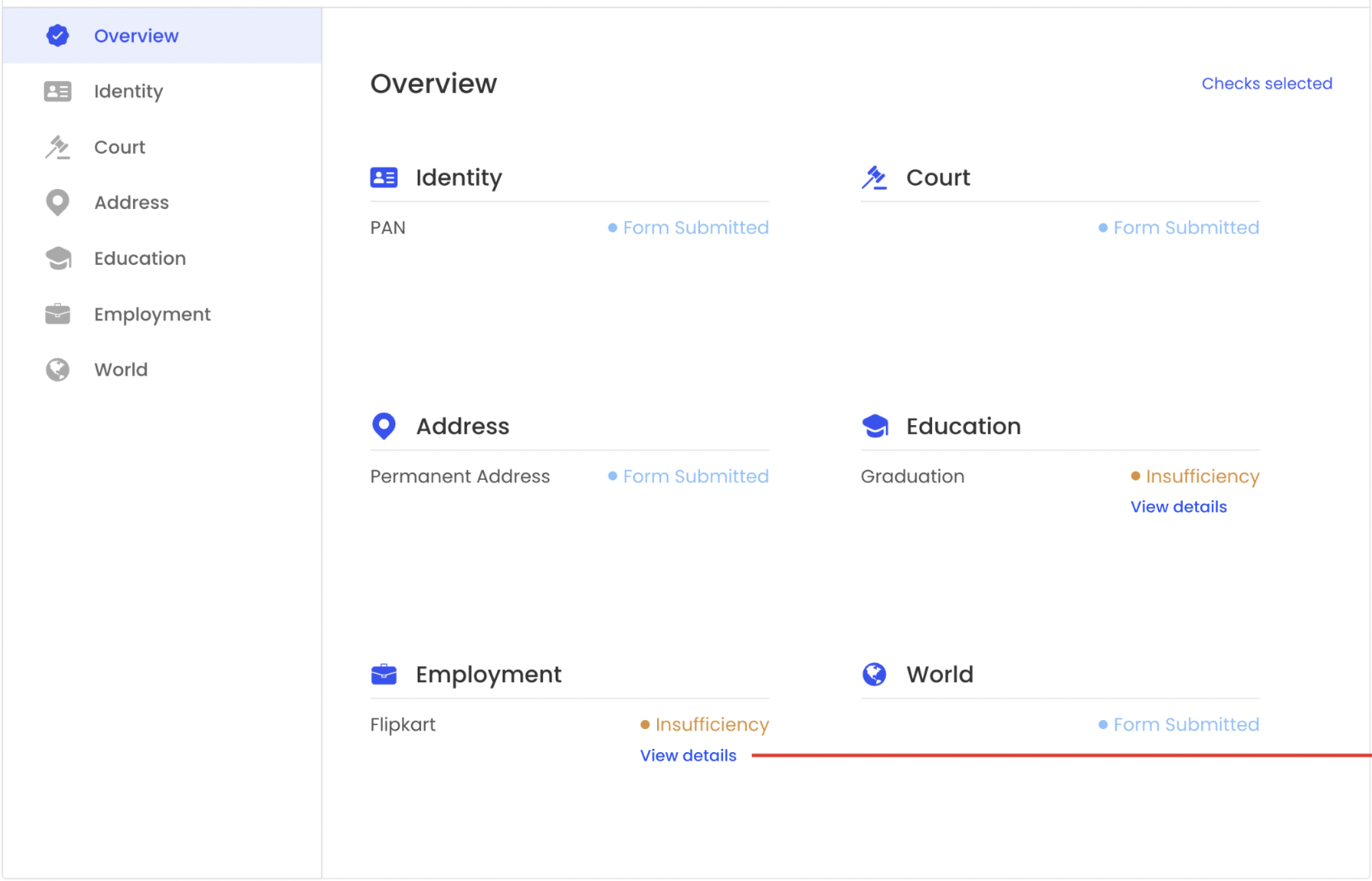
2. Check Details Page – Insufficiency History
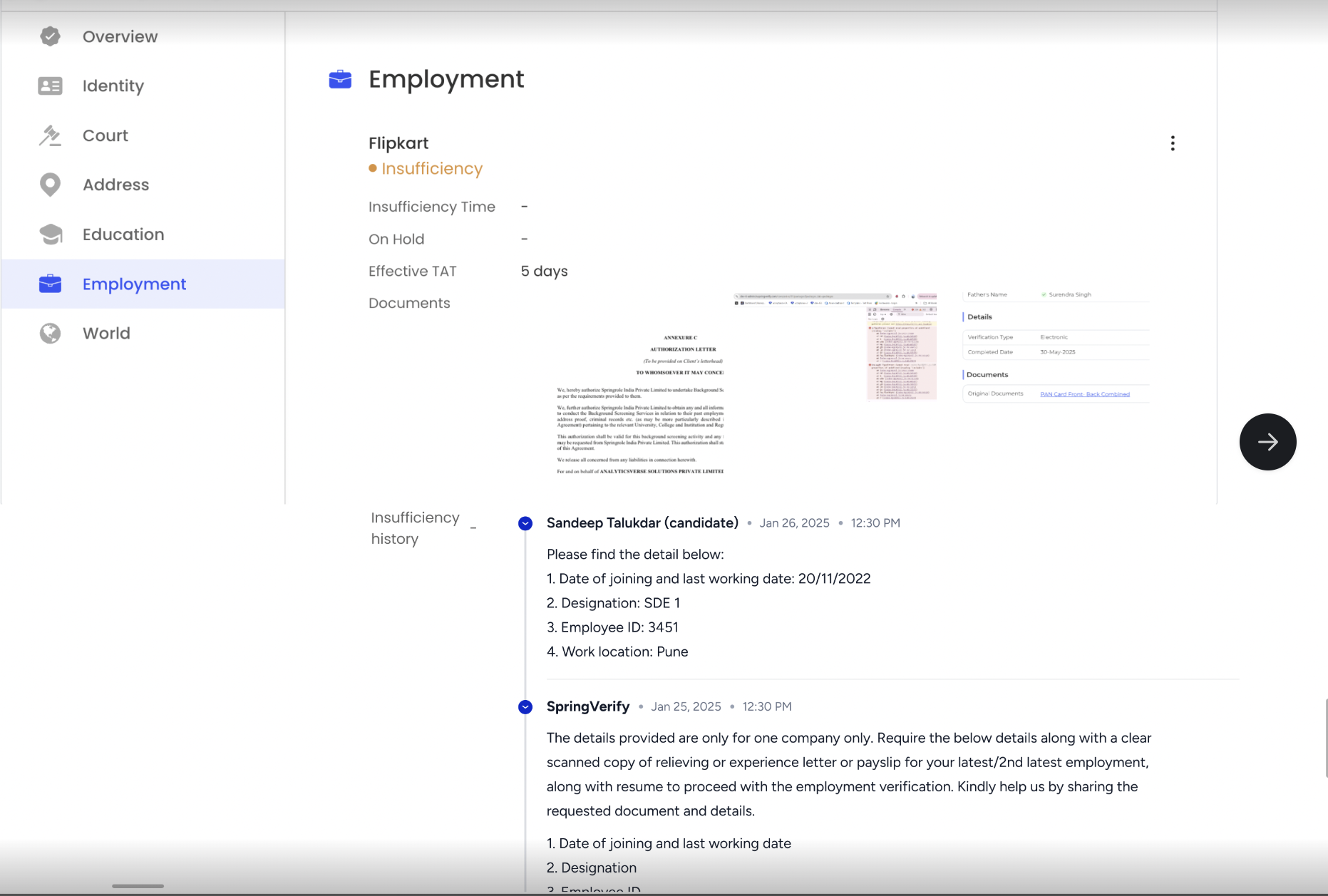
Inside the check details page, a dedicated Insufficiency History section displays:
-
Comments shared by the Ops team with the candidate
-
Candidate replies
-
Ongoing communication related to the insufficiency
This section updates automatically as new responses are added.
When Is the Insufficiency History Shown?
The Insufficiency History section is visible only when all the following conditions are met:
-
The check status is Insufficiency
-
At least one insufficiency comment exists
- The insufficiency is not marked as Closed
Quick Access via Verification Icons
The verification icons on the Candidate List page are now clickable.
-
Clicking an icon (for example, Employment) takes you directly to the Check Details page for that specific check.
-
This allows faster access to insufficiency details without navigating through multiple screens.
Why This Update Matters
-
Better transparency for Company Admins
-
Faster understanding of delays
-
Reduced dependency on support teams
-
Quicker resolution of insufficiencies